


Features
Everything you need. Nothing you don't.
Two tools for client feedback and bug reports, built into WordPress: Pinshots for screenshots with markers, Pinpoints for comment threads on page elements.
The two tools
Pinshots for quick bug reports, Pinpoints for ongoing reviews.
Page
Admin
Pinshots
Bug reports
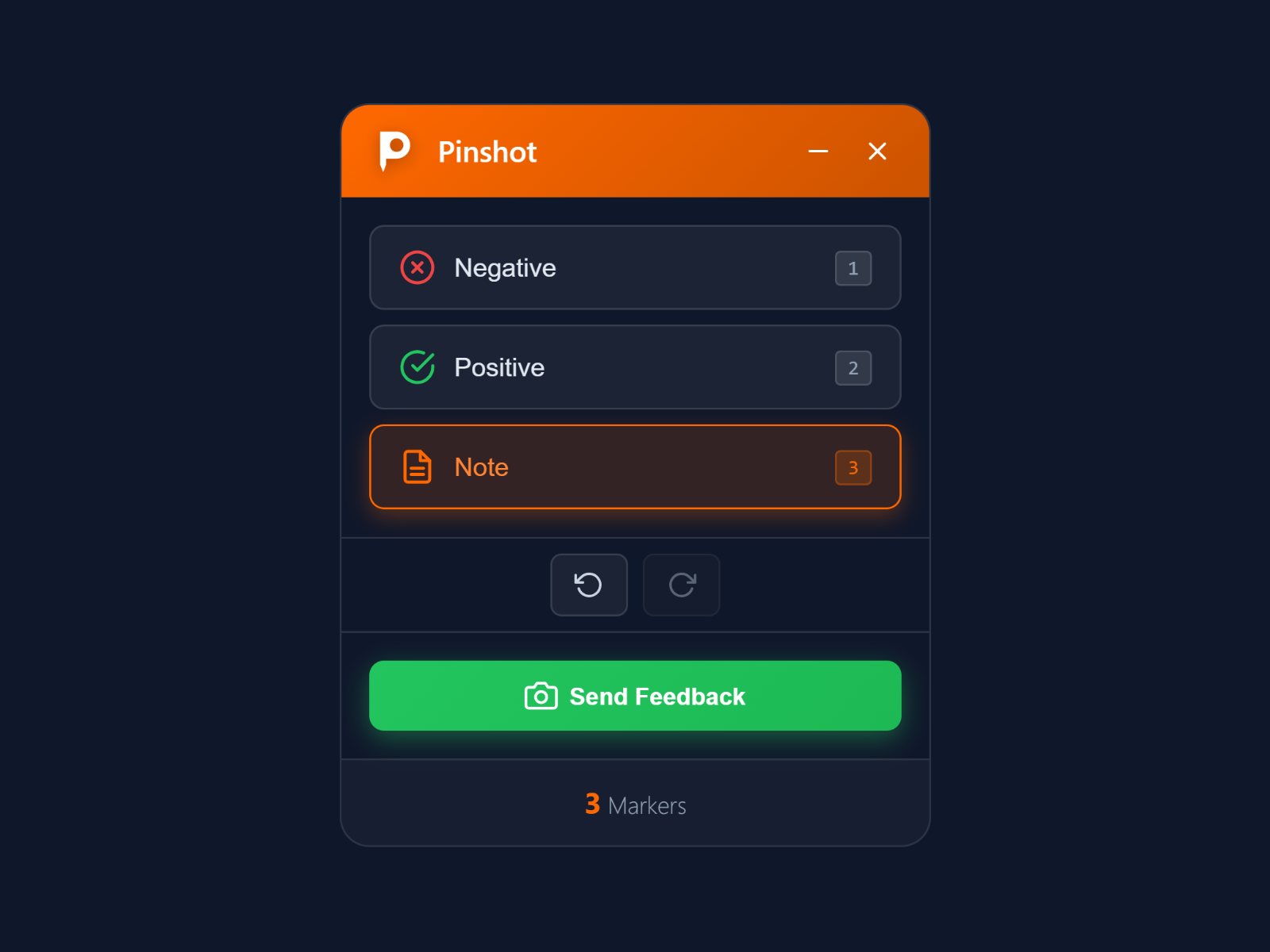
A screenshot of the page with numbered markers and notes, saved in WordPress and sent by e-mail.
Three marker types
Page
E-mail delivery
Admin
Watermark and compression
Admin
Status workflow
Admin
Pinpoints
Comment threads
Comments attached to an element of the page, which stay in place when the layout changes.
Element-attached threads
Page
Smart element matching
Page
Mentions and resolving
Page
Tags and sidebar
Admin
Webhooks
Feedback events for your own endpoints.
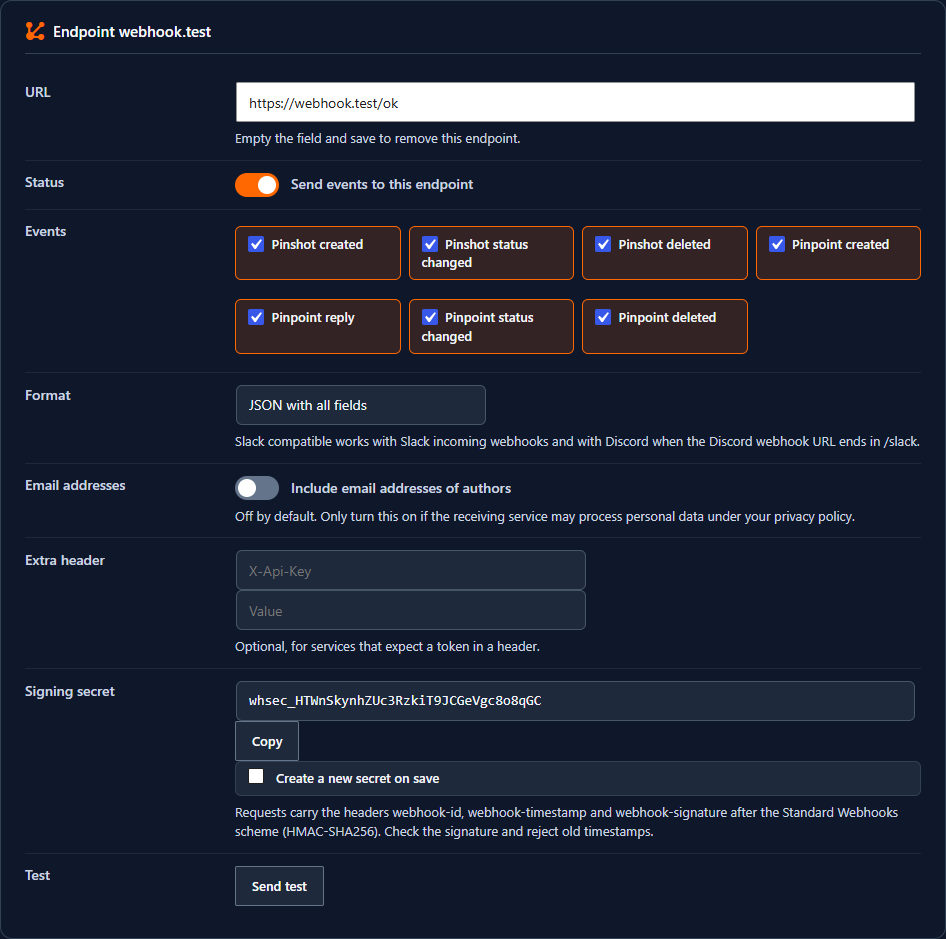
Up to 10 HTTPS endpoints receive seven events: new and deleted Pinshots and Pinpoints, status changes and replies in threads. Each request is signed after the Standard Webhooks scheme with HMAC-SHA256, as JSON or as Slack compatible text for Slack and Discord, with an optional extra header.
Failed deliveries are retried after 1 minute up to 6 hours. A test button and a log of the last 50 deliveries without payload show what arrived. E-mail addresses go out only if you allow it per endpoint, and private networks are blocked.
Built for teams, agencies and their clients
The parts around the two tools that make them work in a real project.
Guests without a WordPress account
Invite clients and other guests by Magic Link e-mail or a shareable URL. They comment on Pinpoints without logging in, and every participant of a thread is notified.
- Links without expiry, or 7, 30 or 90 days
- A mention grants a guest access
- Existing guests reused for new threads
Roles decide who may do what
Separate rights to create, view and resolve Pinpoints, per WordPress role, and the roles that may send Pinshots.
Spam protection built in
Honeypot, timing check and a limit of submissions per hour and IP address, 10 by default. CAPTCHA only if you want it.
Keyboard first
Ctrl+Alt+F opens the toolbar, on a Mac Cmd+Option+F. Keys 1 to 3 pick the marker, Ctrl+Z and Ctrl+Y undo and redo. Dialogs work with the keyboard and close with Esc.
Feedback where you work
Dashboard with key numbers and the latest feedback, a metabox on every post and page, and a counter in the admin bar.
English and German included
Translation-ready for every other language through the usual WordPress tools.
Setup
A short checklist, no API key.
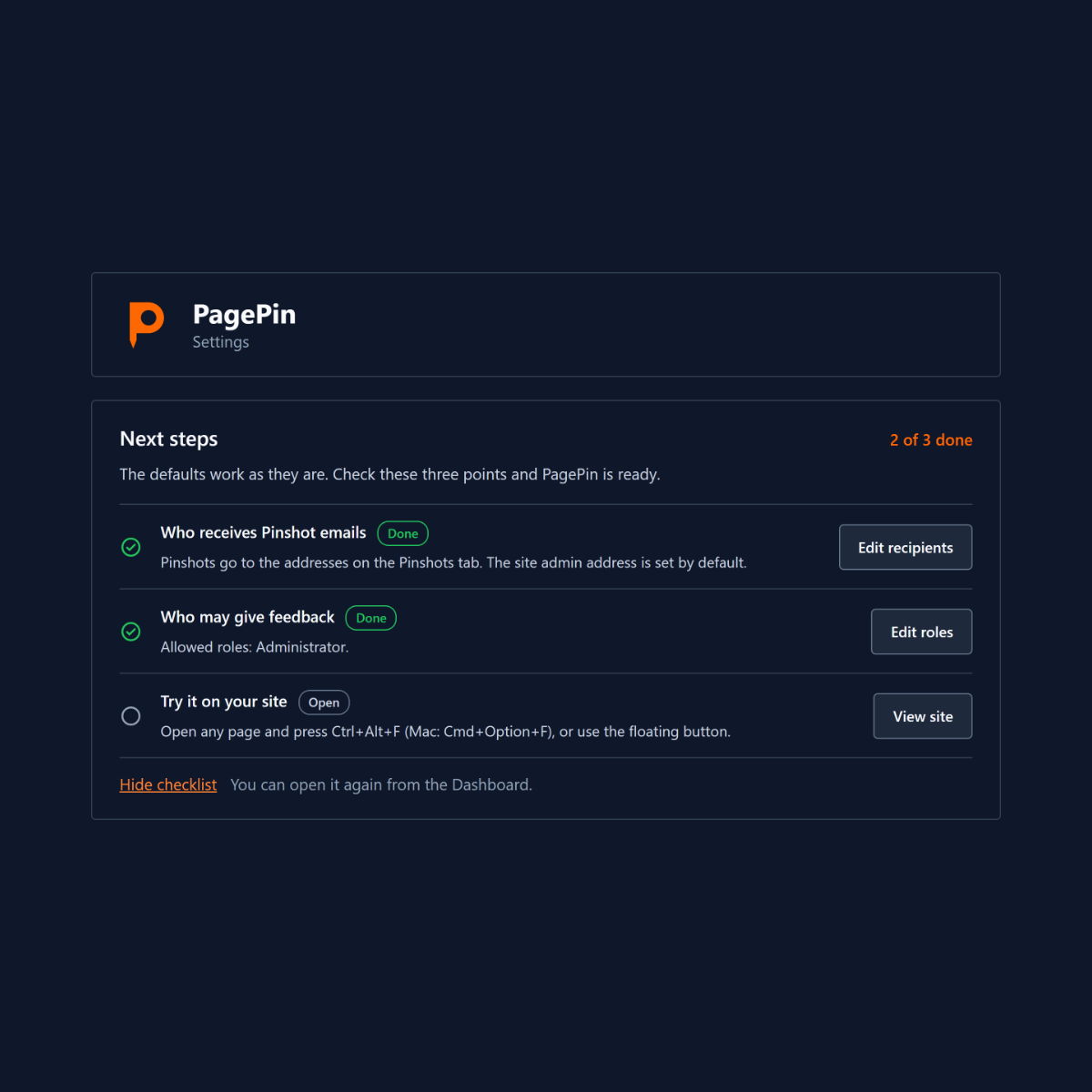
After activation PagePin opens its settings with a Next steps list: who receives Pinshot e-mails, which roles may give feedback, and a first try on your site. The defaults work as they are, and every user can hide the list.
PagePin needs WordPress 6.4 or later and PHP 8.1 or later, and works in current browsers and on touch devices.
Free and open source
Pin it. Ship it.
PagePin is free under the GPL and runs entirely on your own WordPress site.